

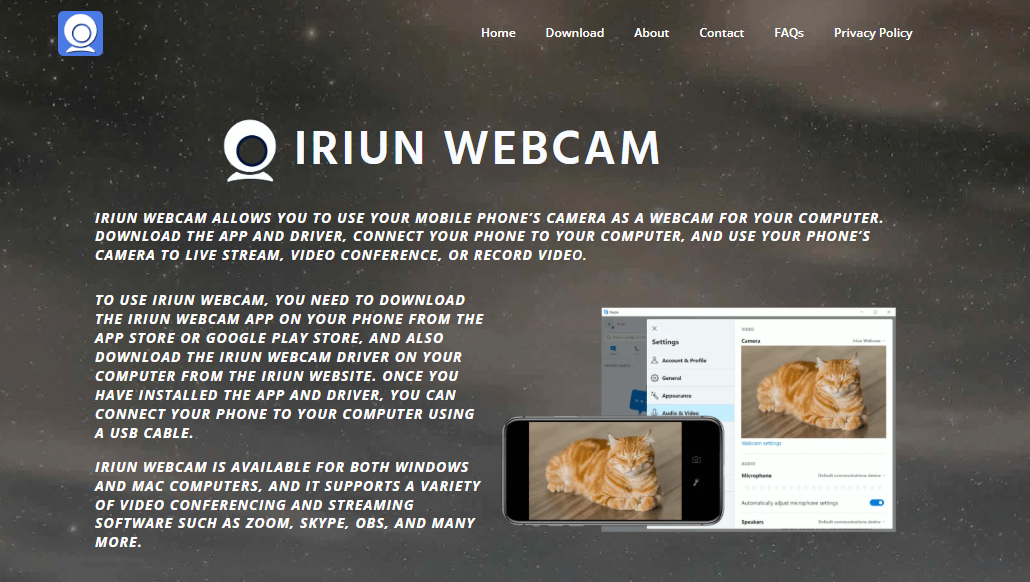
Remote work has redefined how professionals communicate, and video conferencing is now a daily part of business culture. Whether it’s a quick team huddle or a high-stakes virtual pitch, video quality makes a powerful first impression. Enter IRIUN Webcam, a lightweight solution that transforms your smartphone into a high-quality webcam. But can it actually improve conference video quality?
Let’s explore what makes IRIUN unique, how it compares to traditional webcams, and whether it genuinely enhances your virtual communication game.
Rise of Smartphone Webcams
Smartphones today come equipped with advanced camera technology. From ultra-wide lenses to 4K recording, mobile devices often outperform built-in laptop webcams by a wide margin. Despite that, many professionals still rely on grainy, pixelated laptop cams during meetings.
This is where the IRIUN Webcam steps in. It bridges the gap by enabling users to wirelessly or via USB connect their phone’s camera to their computer, effectively using the phone as a webcam for Zoom, Microsoft Teams, Google Meet, or Skype.
How IRIUN Webcam Works
Setting up the IRIUN Webcam involves three simple steps:
- Download the app on your Android or iOS device.
- Install the desktop client for Windows, macOS, or Linux.
- Connect your phone and computer either via USB or over Wi-Fi on the same network.
Once connected, your phone’s camera becomes available as a video input in most conferencing platforms.
IRIUN offers support for resolutions up to 4K, depending on your device capabilities, and can switch between front and rear cameras — giving users flexibility and control over their appearance.
Conference Video Quality Boost
When it comes to video conferencing, quality hinges on three major factors:
- Resolution and clarity
- Stability and frame rate
- Lighting adaptability
IRIUN excels in all three.
Resolution and Clarity
Most built-in laptop webcams offer 720p resolution. While serviceable, it often results in washed-out, dull visuals. Smartphones, in contrast, provide Full HD or 4K capability. Using IRIUN, that quality transfers to your desktop video stream, offering crisp visuals with sharper detail — crucial when you’re presenting to clients or stakeholders.
Stability and Frame Rate
IRIUN adapts to your phone’s capabilities and supports smooth frame rates, reducing stutter or lag during calls. The app maintains a stable stream over Wi-Fi, but USB connection provides even better consistency — a plus for formal settings like interviews or conferences.
Lighting Performance
Smartphone cameras include smart HDR and automatic exposure settings, giving them an edge in low-light or high-contrast environments. With IRIUN, this built-in intelligence translates into better-looking video, even in poorly lit home offices.
Comparing IRIUN with Traditional Webcams
Let’s break down how IRIUN stacks up against the most common alternatives:
| Feature | IRIUN Webcam | Built-in Laptop Cam | External USB Webcam |
| Resolution | Up to 4K | Usually 720p | Up to 1080p/4K |
| Portability | High | Built-in | Medium |
| Setup Complexity | Moderate | None | Plug and play |
| Cost | Free (Basic) | Included | $50–$200+ |
| Customization | High | Low | Medium |
| Low-Light Performance | Excellent | Poor | Medium |
For users already owning a capable smartphone, IRIUN offers high-end webcam functionality without spending extra on new hardware.
Professionalism on Video Calls
First impressions matter. A clear, stable image makes you appear more professional, engaged, and trustworthy. Using IRIUN lets you frame your shot better — adjust your phone’s position for perfect angles, eliminate unflattering views, and present yourself in the best light (literally).
Whether you’re closing a deal, pitching an idea, or leading a team, these subtle upgrades in presentation can shift how you’re perceived in a call.
Compatibility with Conference Tools
IRIUN works seamlessly with all major video conferencing platforms, including:
- Zoom
- Google Meet
- Microsoft Teams
- Skype
- Discord
- OBS (Open Broadcaster Software) for streaming
There’s no need for complicated integrations. Once IRIUN is active and your phone is connected, simply select “IRIUN Webcam” as your video input source within the conferencing app.
Real-World Use Cases
Business Professionals
Marketing consultants, project managers, and salespeople often work remotely. By using IRIUN, they can elevate their on-screen presence, especially in client-facing roles where appearance can affect trust and credibility.
Online Educators and Trainers
Online instructors teaching through Zoom or Google Meet benefit from the improved clarity and control IRIUN provides. With mobile flexibility, teachers can switch camera views during lessons — from face to whiteboard to product demos — all from the same device.
Content Creators and Streamers
Beyond meetings, IRIUN works well with tools like OBS, allowing streamers to broadcast high-definition video without investing in a DSLR or expensive capture card.
Tips for Better Conference Video Using IRIUN
To get the most out of IRIUN, follow these practical steps:
- Use a tripod or stand: Stabilize your phone at eye level to avoid awkward angles.
- Choose the rear camera: Rear cameras are often higher quality than front-facing ones.
- Use USB for important calls: Reduces lag and ensures a stable connection.
- Improve lighting: Even with a great camera, lighting makes a difference. Use a ring light or sit facing a window.
- Test before the call: Always check the frame and focus before going live.
Common Concerns and Limitation
While IRIUN delivers impressive performance, it’s not without caveats:
- Battery drain: Prolonged use may heat up your phone and drain the battery fast. USB charging helps mitigate this.
- App permissions: Users need to allow camera and network access, which may raise privacy questions for some.
- Wi-Fi latency: Wireless use can introduce slight lag or quality drops if your network is unstable.
Despite these, many users find the trade-offs acceptable — especially when compared to the investment in a new webcam.
Free vs Paid Features
IRIUN is available for free with basic features. However, some functionality like 4K video, manual focus control, or no watermark may require a one-time upgrade or in-app purchase.
For most users, the free version is sufficient. But professionals who rely heavily on conference calls might consider the upgrade as a worthwhile investment.
Security and Privacy
IRIUN operates entirely on your local network or USB connection. Your video feed does not pass through third-party servers, making it a secure choice for business calls or sensitive discussions.
Still, it’s wise to:
- Disconnect the app when not in use.
- Review permission settings periodically.
- Avoid public Wi-Fi for video calls.
Future of Smartphone-Based Webcams
As remote and hybrid work continue to grow, more professionals are looking for budget-friendly ways to enhance video communication. Smartphone-based webcam apps like IRIUN could be the norm rather than the exception.
They offer flexibility, portability, and surprisingly good performance — rivaling even premium standalone webcams.
With smartphones becoming more powerful each year, apps like IRIUN tap into underutilized hardware we already own. That makes them a smart, sustainable solution for video conferencing.
Conclusion
Upgrading your conference video quality doesn’t have to involve expensive equipment or complicated setups. With IRIUN Webcam, you can tap into the power of your smartphone’s camera and instantly enhance your appearance on video calls. Whether you’re attending daily meetings, teaching online, or hosting virtual events, the difference in sharpness, stability, and lighting can be significant.
